
Key facts
Start here
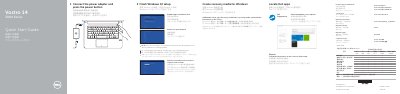
Dell Vostro 14 3000 Series Laptop Quick Start Guide
This Quick Start Guide covers the initial setup steps for the Dell Vostro 14-3468 laptop. It instructs users on how to connect the power adapter, create recovery media for Windows, and complete the Windows 10 setup process, including enabling support and protection and connecting to a network.
Read onlineDell Vostro 14-3468 specifications
| Graphics | Intel HD Graphics 520 |
|---|---|
| Maximum supported displays | Up to 3 DP 1.2/eDP 1.3 displays |
| Maximum resolution | 3840 x 2160 @ 60 Hz |
| HDMI maximum resolution | 3840 x 2160 @ 30 Hz |
| Display | 14-inch HD, 1366 x 768 pixels (maximum) |
Source: Dell Vostro 14-3468 User Manual
All Dell Vostro 14-3468 documents by type
The shortest path to a working setup, usually only a few pages.
Disassembly, diagnostics and part numbers, for repair.
Day-to-day operation, settings and troubleshooting. Start here if the product is already set up.
Questions answered in these manuals
How do I create recovery media for Windows?
In Windows search, type Recovery, click Create a recovery media, and follow the instructions on the screen.
What should I do if I am connecting to a secured wireless network?
Enter the password for the wireless network access when prompted.
What safety steps must be taken before working inside the computer?
You must disconnect all power sources, ensure the work surface is clean and flat, and discharge static electricity by touching an unpainted metal surface.
How should the computer be powered off before servicing?
Save all open files, exit all programs, and then press and hold the power button for about 6 seconds if the system does not shut down automatically.
What display resolution does the Dell Vostro 14-3468 support?
The manual lists a 14-inch HD display with a maximum resolution of 1366 x 768 pixels.
How many displays can Intel HD Graphics 520 support?
It supports up to 3 DP 1.2/eDP 1.3 displays.