
The Dell Tablet Keyboard - Mobile is a keyboard dock for the Dell tablet. It can charge the tablet and provide additional USB ports.
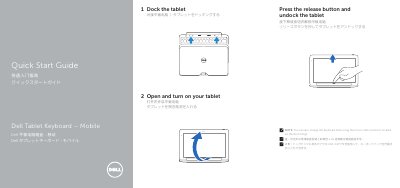
This guide explains how to dock and power the Dell K12A tablet keyboard. It includes instructions for undocking, turning on the tablet, and using the micro USB connector for charging. The device features a docking connector, touch pad, status lights, and regulatory compliance information.
The guide is multilingual, including Chinese, Japanese, and English text. It also provides regulatory details such as input voltage, current, and output specifications for compliance with Mexican standards. This manual is written in Chinese.
| Input Voltage | 100 V AC–240 V AC |
|---|---|
| Input Current (Max) | 1.00 A–1.30 A |
| Output Voltage | 19.5 V DC |
| Output Current | 1.2 A |
Press the release button and undock the tablet to connect it to the dock.
Use the micro USB connector located on the dock hinge.