
The Dell Tablet Keyboard - Mobile is a thin and portable keyboard designed specifically for Dell tablets. It easily connects to your tablet and provides a comfortable typing experience. The keyboard also features a touchpad for easy navigation and control.
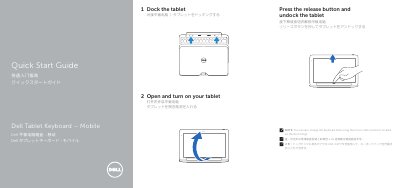
This quick start guide covers docking and undocking the tablet, opening and turning on the tablet, and charging the keyboard dock through the micro USB connector on the dock hinge.
It also identifies the keyboard dock's labeled features and provides regulatory model and electrical input/output specifications. This manual is written in Chinese.
| Input voltage | 100-240 V AC |
|---|---|
| Input current (maximum) | 1.00-1.30 A |
| Input frequency | 50-60 Hz |
| Output current | 1.2 A |
| Output voltage | 19.5 V DC |
The keyboard dock can also be charged using the micro USB connector located on the dock hinge.
The listed input voltage range is 100 V AC to 240 V AC.