
The Dell Tablet Keyboard - Slim is a thin and portable keyboard designed specifically for Dell tablets. It features a magnetic connection for easy attachment and detachment, and includes a touchpad for convenient operation.
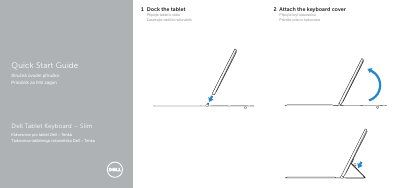
This Dell quick start guide covers the Dell Tablet Keyboard – Slim, identified by regulatory model K11A (type K11A001). Two illustrated steps show how to dock the tablet and how to attach the keyboard cover.
The guide labels the keyboard parts — magnets, docking pins, docking connectors and touch pad — with headings in English, Czech and Slovenian. It also lists Dell product support and manuals web addresses, contact and regulatory links, and NOM importer information for Mexico.
| Regulatory model | K11A |
|---|---|
| Regulatory type | K11A001 |
| Attachment | Magnets |
| Docking connections | Docking pins and docking connectors |
| Pointing device | Touch pad |
The guide's second step shows attaching the keyboard cover, after the tablet is docked.
Dell lists dell.com/support for product support and dell.com/support/manuals for manuals.
The labeled parts are magnets, docking pins, docking connectors and a touch pad.
The guide directs you to dell.com/contactdell.