
The Dell Tablet Keyboard – Slim is a thin and portable keyboard designed for Dell tablets. It features:
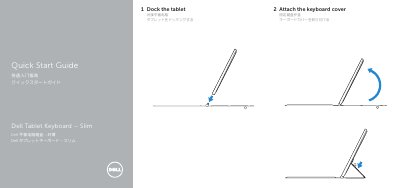
This Quick Start Guide covers the Dell Tablet Keyboard – Slim, a keyboard cover that docks a tablet computer. It is written in English, Simplified Chinese and Japanese.
The guide explains how to dock the tablet and attach the keyboard cover, and identifies the keyboard's features: magnets, docking pins, docking connectors and a touch pad. It also lists Dell support, manual, contact and regulatory-compliance websites, and states the regulatory model and type as K11A / K11A001.
| Regulatory model | K11A |
|---|---|
| Regulatory type | K11A001 |
| Features | Magnets, docking pins, docking connectors, touch pad |
It is a keyboard cover for a Dell tablet that attaches to the tablet by docking.
The keyboard cover docks onto the tablet using magnets, docking pins, and docking connectors.
Yes, the keyboard cover includes a touch pad.