
Key facts
Start here
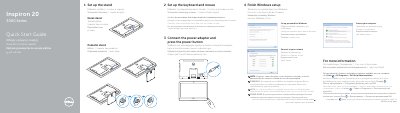
Dell Inspiron 20-3059 Computer Quick Start Guide
This Dell quick start guide helps set up the Inspiron 20-3059 computer. It covers finishing Windows setup, creating a Windows password, connecting to a network, and setting up the keyboard, mouse, power adapter, and stand.
The guide also lists computer features such as microphones, camera, media-card reader, USB ports, and power button. It provides Dell support contacts, regulatory information, and the computer model and regulatory numbers.
Dell Inspiron 20-3059 specifications
| USB 3.0 ports | 2 |
|---|---|
| USB 2.0 ports | 2 |
| Optical drive | optional |
All Dell Inspiron 20-3059 documents by type
The shortest path to a working setup, usually only a few pages.
Disassembly, diagnostics and part numbers, for repair.
Questions answered in these manuals
How do I set up the stand?
Set up the easel stand or pedestal stand as described in the guide.
Where can I find Dell product support and manuals?
Visit Dell.com/support or Dell.com/support/manuals for product support and manuals.
How do I connect the power adapter and turn on the computer?
Connect the power adapter and press the power button.
What do I do when connecting to a secured wireless network?
Enter the password for the wireless network access when prompted.
How do I set up the keyboard and mouse?
See the documentation that shipped with the keyboard and mouse.
How do I connect to a secured wireless network?
Enter the password for the wireless network access when prompted.