
Dell Inspiron 17-5759 Laptop Quick Start Guide
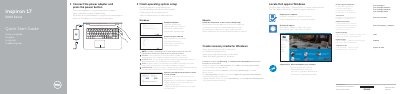
This multilingual Quick Start Guide is for the Dell Inspiron 17-5759 laptop. It explains how to connect the power adapter, press the power button, finish operating system setup, enable Dell updates, connect to a network, and sign in to a Microsoft account or create a local account.
The guide also describes creating Windows recovery media, using SupportAssist to check and update the computer, registering the computer, and locating Dell apps in Windows. A features section identifies parts such as the camera, microphones, HDMI port, USB ports, media-card reader, optical drive, security-cable slot, and battery, and a shortcut-keys section lists functions such as mute audio, volume, brightness, and wireless on/off.
| Computer model | Inspiron 17-5759 |
|---|---|
| Regulatory type | P28E004 |
Connect the power adapter and press the power button.
In Windows search, type Recovery, click Create a recovery media, and follow the on-screen instructions.
The regulatory label is in the battery bay.
Use the shortcut key to turn off or on wireless.