
Inspiron 17-5759 Laptop Quick Start Guide
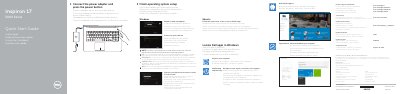
This guide provides step-by-step instructions for setting up the Dell Inspiron 17-5759 laptop, including connecting the power adapter, pressing the power button, completing the operating system setup, connecting to a network, and signing in to a Microsoft account or creating a local account. It also references Dell support apps such as SupportAssist, Dell Backup and Recovery, and Dell Help & Support.
The document includes a detailed features diagram labeling 21 components such as microphones, camera, ports (power-adapter, network, HDMI, USB 3.0, USB 2.0, headset, media-card reader), optical drive, security-cable slot, power button, battery, and service tag. A shortcut keys section explains key combinations for audio control, media playback, display switching, search, keyboard backlight, brightness, Fn-key lock, wireless toggle, sleep, and status-light toggling.
| Input voltage | 100 V AC – 240 V AC |
|---|---|
| Input frequency | 50 Hz – 60 Hz |
| Input current | 1.30 A / 1.60 A / 1.70 A |
| Output voltage | 19.5 V DC |
| Output current | 2.31 A / 3.34 A |
| Country of origin | China |
Connect the power adapter and press the power button.
The regulatory label is located in the battery bay.