
This document describes how to set up Windows.
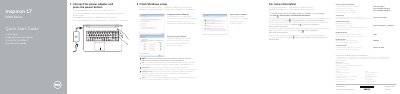
This quick start guide is for the Dell Inspiron 17 5000 Series computer, model Inspiron 17-5759. It explains how to finish Windows setup by connecting the power adapter, setting a Windows password, connecting to a network, and protecting the computer.
The guide also identifies 21 hardware features, lists shortcut keys, provides product support and manual links, and includes regulatory and safety information such as electrical ratings and country of origin.
| Computer model | Inspiron 17-5759 |
|---|---|
| Regulatory model | P28E |
| Regulatory type | P28E004 |
| Supply voltage | 100 V AC–240 V AC |
| Frequency | 50 Hz–60 Hz |
| Input current | 1,30 A/1,60 A /1,70 A |
| Output voltage | 19,50 V CC |
| Output current | 2,31 A/3,34 A |
| Country of origin | China |
Connect the power adapter and press the power button.
Click Start → All Programs → Dell Help Documentation.
Visit Dell.com/support, Dell.com/support/manuals, and Dell.com/support/windows.
The regulatory model is P28E.