
Dell Inspiron 17-5759 Laptop Quick Start Guide

Dell Inspiron 17-5759 Laptop Quick Start Guide
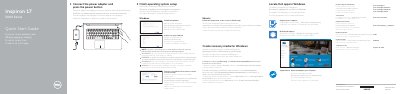

Dell Inspiron 17-5759 Laptop Quick Start Guide - cover page
Brand
DELL
Category
Laptops
Document type
Quick Start Guide
Language
English
Pages
2
File format
PDF
File size
511 KB
Published
24 November, 2023
Updated
24 November, 2023
MD5 checksum
7CA807C1A1903D9EF65A45961E9AAB30

About this manual

This document serves as a Quick Start Guide for the Dell Inspiron 17-5759 laptop. It outlines the initial setup steps, including connecting the power adapter, finishing operating system setup, and creating recovery media. It also provides contact information for Dell support and regulatory compliance details.

What's inside

  • Features
  • Shortcut keys
  • Power button
  • Operating system setup
  • Network connection
  • Recovery media
  • SupportAssist
  • Regulatory compliance

Frequently asked questions

What are the steps to connect to a secured wireless network?

Enter the password for the wireless network access when prompted.

How do you create recovery media for Windows?

Type Recovery in Windows search, click Create a recovery media, and follow the instructions on the screen.

What is the function of the F12 key?

Pressing the F12 key switches to an external display.

Download PDF (511 KB)

More DELL Manuals


View all DELL manuals →