
Key facts
Start here
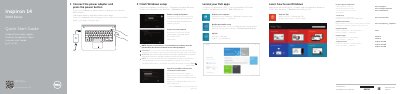
Dell Inspiron 14 3000 Series Laptop Quick Start Guide
This multilingual quick start guide helps users set up a Dell Inspiron 14 3000 Series laptop, including connecting power, finishing Windows setup, signing in, connecting to a network, and enabling security and updates.
It also identifies the laptop's external features and ports and lists shortcut-key functions such as volume, brightness, wireless, and external display controls.
Dell Inspiron 14 3000 Series specifications
| Power Input Voltage | 100 V CA–240 V CA |
|---|---|
| Power Input Frequency | 50 Hz–60 Hz |
| Power Input Current | 1,30 A/1,60 A/1,70 A |
| Power Output Voltage | 19,50 V DC |
| Power Output Current | 2,31 A/3,34 A |
| Origin | China |
Source: Dell Inspiron 14 3000 Series Laptop Quick Start Guide
All Dell Inspiron 14 3000 Series documents by type
The shortest path to a working setup, usually only a few pages.
- Dell Inspiron 14 3000 Series Laptop Quick Start Guide 2 p
- Dell Inspiron 14 3000 Series Laptop Quick Start Guide 2 p
- Dell Inspiron 14 3000 Series Quick Start Guide 2 p
- Dell Inspiron 14 3000 Series Quick Start Guide 2 p
- Dell Inspiron 14 3000 Series Quick Start Guide 2 p
- Dell Inspiron 14 3000 Series Laptop Quick Start Guide 2 p
- Dell Inspiron 14-3000 Series Notebook Quick Start Guide 2 p
- Dell Inspiron 14 3000 Series Laptop Quick Start Guide 2 p
Disassembly, diagnostics and part numbers, for repair.
- Dell Inspiron 14 3000 Series Service Manual 101 p
- Dell Inspiron 14 3000 Series Service Manual 100 p
- Dell Inspiron 14 3000 Series Service Manual - Memory Upgrade 11 p
- Dell Inspiron 14 3000 Series Service Manual 94 p
- Dell Inspiron 14 3000 Series Service Manual 85 p
- Dell Inspiron 14 3000 Series Service Manual 96 p
- Dell Inspiron 14 3000 Series Service Manual 91 p
- Dell Inspiron 14 3000 Series (Inspiron 3442) Notebook Owner's Manual 87 p
Questions answered in these manuals
Where can I find more specifications for this laptop?
The guide directs users to the Specifications section at dell.com/support.
How can I access how-to information for the laptop?
Scan the provided code or visit Dell.com/QRL/Inspiron/14.
Which computer models does this Dell guide cover?
It covers Inspiron 14-3451 and Inspiron 14-3458.
Where can users find Dell product support and manuals?
They are available at dell.com/support, dell.com/support/manuals, and dell.com/windows8.
What is the first step to start using the computer?
Connect the power adapter and press the power button.
How do I access advanced options for the computer?
Click Start, then All Programs, then Dell Help Documentation.