
Key facts
Start here
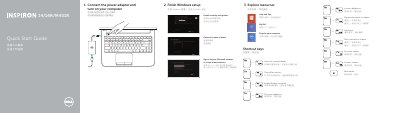
Dell Inspiron 14/14R/M431R Computer Quick Start Guide
This Dell Quick Start Guide helps set up Inspiron 14/14R/M431R computers, including connecting power, finishing Windows setup, and exploring resources.
It also lists shortcut keys, identifies hardware features, and provides product support, contact, and regulatory links.
Dell 14R specifications
| Chipset | Intel Mobile Express Series 6 chipset |
|---|---|
| DRAM bus width | 64-bit |
| Flash EPROM SPI | 32 Mbits |
| PCIe Gen1 bus | 100 MHz |
| Processor Types | Intel Core i3 series, Intel Core i5 series, Intel Core i7 series |
| L3 cache | up to 4 MB |
| External bus frequency | 1600 MHz |
| Memory connector | two SODIMM slots |
| Memory capacity | 4 GB, or 8 GB |
| Memory type | DDR3 SDRAM 1600 Mhz |
| Minimum memory | 4 GB |
| Maximum memory | 16 GB |
| Audio Type | four-channel high definition audio |
| Audio Controller | Realtek ALC3226 |
| Stereo conversion | 24-bit (analog-to-digital and digital-to-analog) |
All Dell 14R documents by type
Disassembly, diagnostics and part numbers, for repair.
- Dell Latitude 14 Rugged 5404 Service Manual 52 p
- Dell Inspiron 14/14R/M431R Service Manual 72 p
- Dell Inspiron 14/14R/M431R (3421/5421/5435) Service Manual 71 p
- Dell Inspiron 14/14R Laptop Owner's Manual 73 p
- Dell Inspiron 14R (5420/7420) Service Manual 106 p
- Dell Inspiron 14/14R (3421/5421) Service Manual 70 p
- Dell Inspiron 14/14R Service Manual 67 p
- Dell Inspiron 14/14R 3421/5421 User Manual 70 p
- Dell Inspiron 14R (5420/7420) Computer Owner's Manual 110 p
- Dell Inspiron 14/14R (3437/5437) Laptop Owner's Manual 73 p
- Dell Inspiron 14R Owner's Manual 114 p
- Inspiron 14/14R Laptop User's Guide 71 p
- Inspiron 14/14R Notebook User's Guide 73 p
The shortest path to a working setup, usually only a few pages.
- Dell Inspiron 14/14R/M431R Computer Quick Start Guide 2 p
- Dell Inspiron 14/14R/M431R Laptop Quick Start Guide 2 p
- Dell 14/14R/M431R Laptop Quick Start Guide 2 p
- Dell Inspiron 14/14R/M431R Laptop Quick Start Guide 2 p
- Dell Inspiron 14/14R/M431R Laptop Quick Start Guide 2 p
- Dell 14/14R/M431R Laptop Quick Start Guide 2 p
- Dell 14/14R/M431R Laptop Quick Start Guide 2 p
Day-to-day operation, settings and troubleshooting. Start here if the product is already set up.
- Dell Latitude 14 Rugged 5404 Series User Manual 54 p
- Dell Inspiron 14/14R Laptop Owner's Manual 73 p
- Dell Latitude 14 Rugged Extreme 7414 Owner's Manual 109 p
- Dell Latitude 14 Rugged 5414 Owner's Manual 99 p
- Dell Latitude 14 Rugged Extreme (7404) Series Getting Started Guide 19 p
- Dell Latitude 14 Rugged-5404 Series Getting Started Guide 20 p
Questions answered in these manuals
What safety steps must be taken before working inside the computer?
Disconnect all power sources, ensure the work surface is flat and clean, and ground yourself to avoid electrostatic discharge.
Can I use a battery from another Dell computer?
No, you must use only the battery designed for this particular Dell computer to avoid damage.
What tools are required to perform the procedures in this manual?
The procedures may require a Phillips screwdriver and a plastic scribe.
How long must you hold the power button to ground the system board?
You must press and hold the power button for 5 seconds.
Where can I find Dell product support and manuals?
Visit dell.com/support and dell.com/support/manuals.
How do I contact Dell?
Use dell.com/contactdell.