
Key facts
- Brand
- Casio
- Model
- 3481
- Category
- Watches
- Industry
- Electronics
- Documents
- 2
- Languages
- ZH · ES
- Last added
- 2026-11-20
Start here
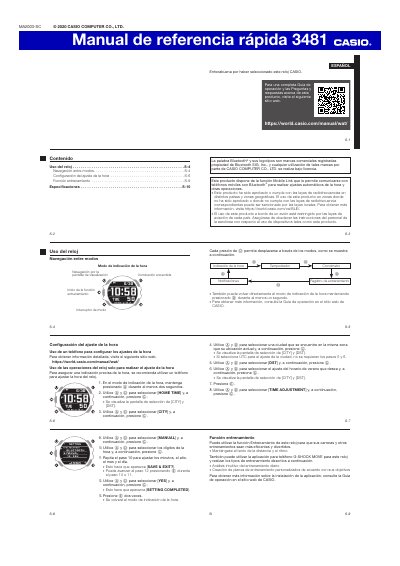
Casio G-SHOCK MOVE 3481 Watch Quick Reference Guide
This Casio quick reference guide covers the G-SHOCK MOVE 3481 watch, including basic operation, mode navigation, time setting, and training functions.
It also describes Bluetooth Mobile Link communication with mobile phones, world time, alarms, stopwatch, countdown timer, step counting, and battery specifications. This manual is written in Spanish.
Casio 3481 specifications
| Accuracy | ±15 seconds per month without signal adjustment |
|---|---|
| Basic timekeeping | Hours, minutes, seconds, month, date, and day of week; AM/PM or 24-hour format |
| Calendar | Full auto calendar from 2000 to 2099 |
| Bluetooth frequency | 2400 to 2480 MHz |
| Maximum transmission | 0 dBm (1 mW) |
| Communication range | Up to 2 m |
| World time | Current time for UTC plus 38 cities (38 time zones); automatic DST setting |
| Timer maximum start time | 60 minutes |
| Timer start times | Up to five |
| Training log capacity | Up to 100 runs, up to 140 laps per run |
| Step display range | 0 to 99,999 steps |
| Step accuracy | ±39% (vibration test) |
| Backlight | LED backlight with auto light, super illuminator, and 1.5/3 second illumination |
| Alarms | 4 alarms with snooze function |
| Vibration and airplane mode | Vibration function and airplane mode |
| Battery | One lithium battery (CR2032) |
| Battery life | About 2 years |
| Bluetooth usage condition | 12 hours per day |
Source: Casio G-SHOCK MOVE 3481 Watch Quick Reference Manual
All Casio 3481 documents by type
Day-to-day operation, settings and troubleshooting. Start here if the product is already set up.
The shortest path to a working setup, usually only a few pages.
Questions answered in these manuals
How do I switch modes on the Casio G-SHOCK MOVE 3481?
Press @ to cycle through modes; press and hold @ with at least one other button to return directly to Timekeeping mode.
How do I set the time manually?
In Timekeeping mode, hold @ for at least 2 seconds, then follow the prompts to select HOME TIME, CITY, DST, TIME ADJUSTMENT, and MANUAL before setting the time and date.
What is the Bluetooth frequency band?
It uses the 2400 to 2480 MHz band.
How many races can the training log store?
Up to 100 races, with up to 140 lap records per race.