
Key facts
- Brand
- SONY
- Model
- DCR-TRV140
- Category
- Camcorders
- Industry
- Electronics
- Documents
- 3
- Languages
- EN · ZH
- Last added
- 2026-10-22
Start here
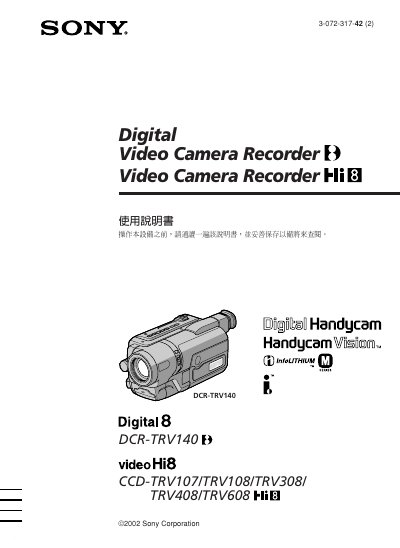
Sony DCR-TRV140 Digital Video Camera Recorder User Manual
This document is the user manual for the Sony DCR-TRV140 Digital Video Camera Recorder. It covers essential operations such as recording and playing back video on tape, as well as advanced features like NightShot, Super NightShot, and Color Slow Shutter. The guide also details how to use the built-in flash, adjust exposure settings, and perform digital editing functions.
Read onlineSONY DCR-TRV140 specifications
| Battery type | NP‑FM30 rechargeable battery |
|---|---|
| AC adapter models | AcC‑L10A/L10B/L10C |
| USB interface | USB streaming (Windows only) |
Source: Sony DCR-TRV140/CCD-TRV107/TRV108/TRV308/TRV408/TRV608 Camcorder User Manual
All SONY DCR-TRV140 documents by type
Day-to-day operation, settings and troubleshooting. Start here if the product is already set up.
Questions answered in these manuals
What is the maximum length of the power cord included with this camera?
The power cord included with this camera is 3 meters long.
From: Sony DCR-TRV140 Digital Video Camera Recorder User Manual
What type of rechargeable battery is included in the package?
The package includes one NP-FM30 rechargeable battery.
From: Sony DCR-TRV140 Digital Video Camera Recorder User Manual
What safety precautions reduce the risk of electric shock?
Do not expose the unit to rain or moisture, do not remove the cover, and avoid handling damaged or leaking batteries.
From: Sony DCR-TRV140/107/108/308/408/608 Camcorder User Manual
Where can I find the model and serial numbers on the camcorder?
The model and serial numbers are located on the bottom of the unit.
From: Sony DCR-TRV140/107/108/308/408/608 Camcorder User Manual
How do I set the date and time on the camcorder?
Select the “认定日期和时间” option in the menu as described in step 2 of the quick‑start guide.
From: Sony DCR-TRV140/CCD-TRV107/TRV108/TRV308/TRV408/TRV608 Camcorder User Manual
How do I eject the video tape?
Press the EJECT button on the camcorder; the tape compartment will open automatically.
From: Sony DCR-TRV140/CCD-TRV107/TRV108/TRV308/TRV408/TRV608 Camcorder User Manual