
Sharp MX-2310U Operation Guide

This document introduces the operating instructions of the multi-function all-in-one machine, including copying, printing, faxing, scanning, filing documents, troubleshooting, etc.
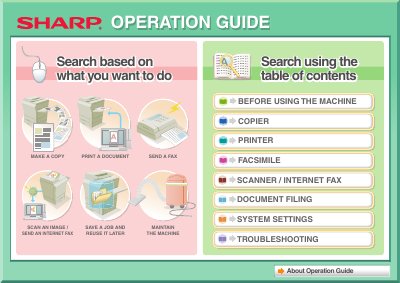

Sharp MX-2310U Operation Guide - cover page
Brand
Sharp
Document type
User Manual
Language
English
Pages
831
File format
PDF
File size
19.4 MB
Published
02 August, 2012
Updated
30 September, 2023
MD5 checksum
CFC42367F16B337B8F29540C49EA2EAB

About this manual

The Sharp MX-2310U is a multifunction machine designed to perform various office tasks including making copies, printing documents, sending faxes, and scanning images. The guide provides instructions on how to use these core functions effectively.

What's inside

  • Before Using the Machine
  • Copier Functions
  • Printer Functions
  • Facsimile
  • Scanner / Internet Fax
  • Document Filing
  • System Settings
  • Troubleshooting

Frequently asked questions

What is the default administrator password?

The factory default administrator password is found in the Start Guide under 'TO THE ADMINISTRATOR OF THE MACHINE'.

How can I assemble output into a pamphlet?

You can create a stapled pamphlet by punching holes in the output and adding a blank margin for binding.

Download PDF (19.4 MB)

More Sharp Manuals


View all Sharp manuals →