
Key facts
- Brand
- Panasonic
- Model
- SC-BT230
- Category
- Hi-Fi
- Industry
- Appliances
- Documents
- 3
- Languages
- EN
- Last added
- 2023-10-21
Start here
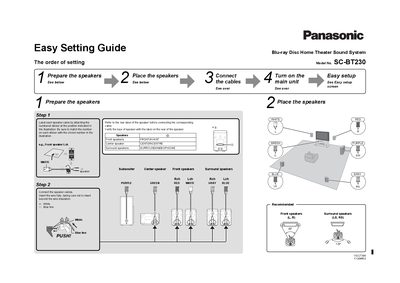
Panasonic SC-BT230 Blu-ray Disc Home Theater Sound System Easy Setting Guide
The document serves as an 'Easy Setting Guide' for the Panasonic SC-BT230 Blu-ray Disc Home Theater Sound System. It outlines a four-step process: preparing speakers with labeled cables, connecting audio/video cables to the main unit's rear panel, powering on the TV and main unit, and initiating the on-screen setup wizard.
Read onlineAll Panasonic SC-BT230 documents by type
Day-to-day operation, settings and troubleshooting. Start here if the product is already set up.
The shortest path to a working setup, usually only a few pages.
Questions answered in these manuals
What is the recommended cleaning method for the unit?
Clean the unit with a soft, dry cloth. Never use alcohol, paint thinner, or benzine.
From: Panasonic SC-BT737/337/230 Blu-ray Disc Home Theater Sound System Operating Instructions
Where is the product identification marking located?
For the wireless system, the Product Identification Marking is located on the bottom of the wireless system.
From: Panasonic SC-BT737/337/230 Blu-ray Disc Home Theater Sound System Operating Instructions
What type of batteries are required for the remote control?
The remote control requires two R6/LR6 or AA batteries.
From: Panasonic SC-BT230 Blu-ray Disc Home Theater Sound System Easy Setting Guide
What is the AC power rating for the main unit?
The unit connects to a household AC outlet rated at 120 V, 60 Hz.
From: Panasonic SC-BT230 Blu-ray Disc Home Theater Sound System Easy Setting Guide
What is the product and what is it intended for?
This document provides operating instructions for a Blu-ray Disc Home Theater Sound System.
How should this apparatus be cleaned?
You must clean the unit only with a dry cloth.