
Key facts
Start here
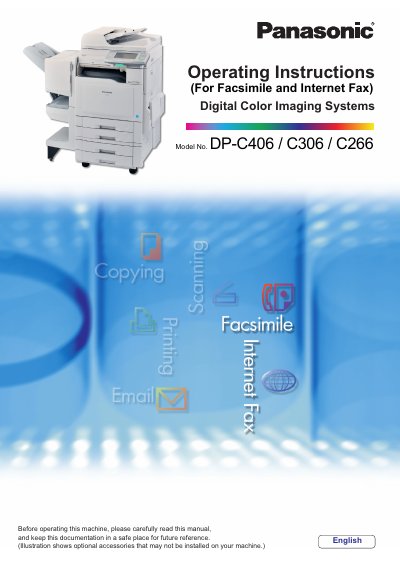
Panasonic DP-C406/C306/C266 Digital Color Imaging Systems Operating Instructions
This manual provides operating instructions for the Panasonic DP-C406, C306, and C266 Digital Color Imaging Systems. It covers basic procedures for copy functions, as well as detailed instructions for Facsimile and Internet Fax, Scan/Email, and Print functions. The document also explains how to set up the machine, manage user authentication, and perform maintenance tasks.
Read onlinePanasonic C306 specifications
| ADF Capacity | Up to 100 sheets (20 lb/Letter) |
|---|---|
| Original Size Support | A3, B4, A4, A5, FLS, Letter, Legal, Ledger |
| Paper Weight Range | 1 sided: 50-105 g/m²; 2 sided: 64-105 g/m² |
All Panasonic C306 documents by type
Day-to-day operation, settings and troubleshooting. Start here if the product is already set up.
- Panasonic DP-C406/C306/C266 Manual 74 p
- Panasonic DP-C406/C306/C266 Digital Color Imaging Systems Manual(2) 52 p
- Panasonic DP-C406/C306/C266 Digital Color Imaging Systems Operating Instructions 228 p
- Panasonic DP-C406/C306/C266 Digital Color Imaging Systems Operating Instructions 228 p
- Panasonic DP-C406/C306/C266 Digital Color Imaging Systems Operating Instructions 40 p
Questions answered in these manuals
What paper types should not be used in the ADF?
Do not use drawing papers, transparencies, labeling paper, heavy weight papers, thin art papers, film, thermal papers, or curled/creased papers.
How are created images rotated when using Scan/Email?
When using the Scan/Email function, the created images are rotated by 90 degrees.
What operating system is used in the illustrations for printing from a PC?
The illustrations shown for the printing steps are of WordPad on Windows XP.
From: Panasonic DP-C406/C306/C266 Digital Color Imaging Systems Manual(2)
Which file format is required for digital camera images to display as thumbnails?
Only JPEG files in EXIF format version 2.1 or later are displayed as thumbnails.
From: Panasonic DP-C406/C306/C266 Digital Color Imaging Systems Manual(2)
What is the purpose of this manual?
This document provides operating instructions for using the machine as a facsimile and Internet fax device.
From: Panasonic DP-C406/C306/C266 Digital Color Imaging Systems Operating Instructions
Which optional board is required to use the facsimile function?
The facsimile function requires that the optional G3 Fax Communication Board be installed on the machine.
From: Panasonic DP-C406/C306/C266 Digital Color Imaging Systems Operating Instructions