
Key facts
- Brand
- Panasonic
- Model
- KX-F500
- Category
- Fax machine
- Documents
- 2
- Languages
- EN
- Last added
- 2012-08-07
Start here
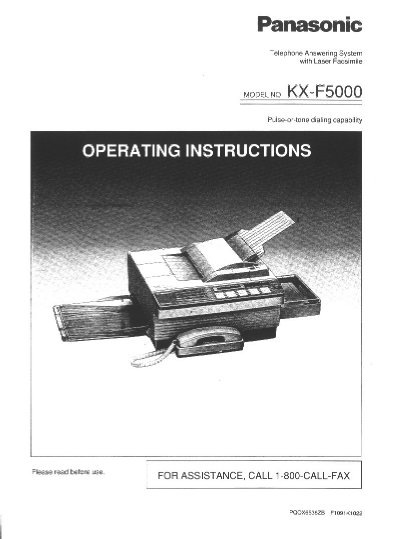
Panasonic KX-F5000 Laser Fax/Answering System Operating Instructions
This document provides operating instructions for the Panasonic KX-F5000, a desktop multi-function system that integrates laser facsimile, an answering device, and a standard telephone into a single unit. It allows users to send and receive voice messages and documents on one line using automatic switching between modes.
Read onlinePanasonic KX-F500 specifications
| Paper Roll Capacity | 98 foot roll of Panasonic super thermal paper |
|---|---|
| Paper Roll Capacity | 164 foot roll of standard thermal paper |
| Document Feeder Capacity | up to 15 sheets |
| Halftone Levels | 64-level |
| Resolution Options | standard/ine/super fine/halftone |
| One-Touch Dialer Capacity | 10 phone numbers |
| Speed Dialer Capacity | 22 stations |
All Panasonic KX-F500 documents by type
Day-to-day operation, settings and troubleshooting. Start here if the product is already set up.
Questions answered in these manuals
What type of paper is required for the KX-F500?
The unit requires a 98 foot roll of Panasonic super thermal paper or a 164 foot roll of standard thermal paper.
How many sheets can the automatic document feeder hold?
The automatic document feeder can hold up to 15 sheets.
What is the maximum number of pages that can be loaded into the automatic document feeder at once?
The unit's automatic document feeder can hold up to 20 pages at a time.
From: Panasonic KX-F5000 Laser Fax/Answering System Operating Instructions
How long does it take to transmit one page of text data?
Transmission takes approximately 15 seconds per page when using the CCITT No. 1 test chart at maximum modem speed.
From: Panasonic KX-F5000 Laser Fax/Answering System Operating Instructions