
Key facts
- Brand
- Olympus
- Model
- VN-480PC
- Category
- Voice recorder
- Industry
- Electronics
- Documents
- 2
- Languages
- EN · ZH
- Last added
- 2012-07-03
Start here
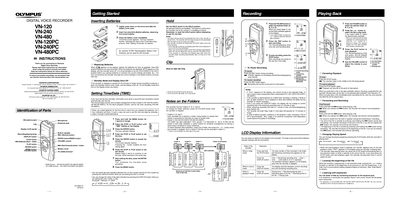
OLYMPUS DIGITAL VOICE RECORDER VN-120 VN-240 VN-480 VN-120PC VN-240PC VN-480PC INSTRUCTIONS
This document provides operating instructions for the Olympus VN Series Digital Voice Recorder models (VN-120, VN-240, VN-480, and their PC variants). It details how to insert batteries, set the time and date, use the clip, and manage audio files stored in folders A, B, C, or S. The guide explains recording and playback functions, including pause, fast forward, rewind, and speed adjustments.
Read onlineOlympus VN-480PC specifications
| Recording time (HQ mode) VN‑240 | ≈ 88 minutes |
|---|---|
| Recording time (SP mode) VN‑240 | ≈ 133 minutes |
| Recording time (LP mode) VN‑240 | ≈ 245 minutes |
| Battery type | 2 × AAA (or 2 × Ni‑MH rechargeable) |
| Dimensions | 99 mm × 39 mm × 21.5 mm |
| Weight (with battery) | 66.5 g (VN‑240) |
Source: Olympus VN-240/480PC User Manual
All Olympus VN-480PC documents by type
Day-to-day operation, settings and troubleshooting. Start here if the product is already set up.
Questions answered in these manuals
What batteries are required for the recorder?
The device requires two size-AAA alkaline batteries, though an optional Ni-MH Rechargeable Battery from Olympus can also be used.
From: OLYMPUS DIGITAL VOICE RECORDER VN-120 VN-240 VN-480 VN-120PC VN-240PC VN-480PC INSTRUCTIONS
How many files can be stored in the S folder?
Up to a total of 100 files can be recorded in Folder S, which is organized by date subfolders.
From: OLYMPUS DIGITAL VOICE RECORDER VN-120 VN-240 VN-480 VN-120PC VN-240PC VN-480PC INSTRUCTIONS
Why do the buttons not respond?
The HOLD switch may be in the HOLD position, the battery could be exhausted, or the battery may not be inserted correctly.
Why is there no sound during playback?
The earphone plug might not be inserted properly, or the volume may be set to the minimum level.