
Key facts
- Brand
- Olympus
- Model
- WS-200S
- Category
- Voice recorder
- Industry
- Electronics
- Documents
- 2
- Languages
- EN · ZH
- Last added
- 2012-07-03
Start here
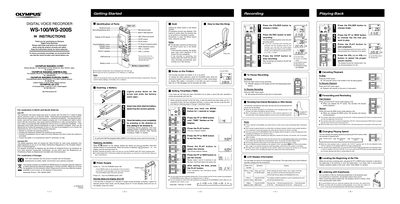
Olympus WS-100/WS-200S Digital Voice Recorder Instructions
This document provides operating instructions for the Olympus WS-100/WS-200S Digital Voice Recorder. It details how to insert batteries, set up time and date, and use the device's primary functions including recording, playing back files, and adjusting volume.
The guide also explains advanced features such as using folders to organize files, pausing and resuming recordings, changing playback speed (slow/fast), and connecting external microphones. It includes specific notes on the mono audio capture of the WS-100 model and troubleshooting tips for recording quality.
Olympus WS-200S specifications
| Battery Type | Size-AAA alkaline battery or optional Ni-MH Rechargeable battery (BR401) |
|---|---|
| Recording Capacity per Folder | Up to 199 messages |
| Number of Folders | Five folders (A, B, C, D and E) |
| Audio Mode (WS-100) | Mono |
Source: Olympus WS-100/WS-200S Digital Voice Recorder Instructions
All Olympus WS-200S documents by type
Day-to-day operation, settings and troubleshooting. Start here if the product is already set up.
Questions answered in these manuals
Can I change the playback speed?
Yes, you can switch between normal, slow (S.PLAY), and fast (FPLAY) speeds by pressing the PLAY button while playing back.
From: Olympus WS-100/WS-200S Digital Voice Recorder Instructions
What happens if I leave the recorder paused for too long?
If left paused for 60 minutes or longer, the recorder will enter Stop mode.
From: Olympus WS-100/WS-200S Digital Voice Recorder Instructions
Why do the operation buttons not work?
The HOLD switch may be engaged, the battery could be depleted, or the battery might not be inserted correctly.
From: Olympus WS-100/WS-200S Digital Voice Recorder User Manual
Why is there no sound when I try to record or play?
The earphone plug may be improperly connected, or the volume may be set to the minimum.
From: Olympus WS-100/WS-200S Digital Voice Recorder User Manual