
Key facts
- Brand
- Olympus
- Model
- VR-330
- Category
- Digital cameras
- Industry
- Electronics
- Documents
- 3
- Languages
- EN · PT
- Last added
- 2012-06-08
Start here
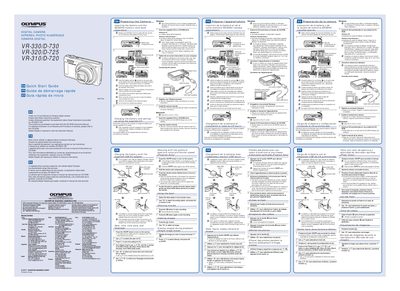
OLYMPUS DIGITAL CAMERA VR-330/D-730 VR-320/D-725 VR-310/D-720 Quick Start Guide
This document serves as a quick start guide for Olympus digital camera models VR-330/D-730, VR-320/D-725, and VR-310/D-720. It provides initial setup instructions in English, French, and Spanish.
Read onlineAll Olympus VR-330 documents by type
Day-to-day operation, settings and troubleshooting. Start here if the product is already set up.
The shortest path to a working setup, usually only a few pages.
Questions answered in these manuals
What is the difference between the VR-330 and other models mentioned?
The manual notes that certain features, such as specific menu options or settings, are available only on the VR-330/D-730 model.
How do I access frequently used functions quickly?
You can use the direct buttons on the camera to access frequently used functions without navigating through menus.
What memory cards are compatible with this camera?
You must always use SD/SDHC memory cards and should not insert any other types.
From: OLYMPUS DIGITAL CAMERA VR-330/D-730 VR-320/D-725 VR-310/D-720 Quick Start Guide
Which operating systems does the setup software support?
The user registration and software installation are available on Windows computers only, specifically recommending Windows XP (Service Pack 2 or later), Windows Vista, or Windows 7.
From: OLYMPUS DIGITAL CAMERA VR-330/D-730 VR-320/D-725 VR-310/D-720 Quick Start Guide