
NETGEAR R8000 NightHawk X6 AC3200 WiFi Router User Manual

This manual provides installation instructions, setup guides, and configuration steps for the NETGEAR R8000 NightHawk X6 AC3200 tri-band WiFi router.
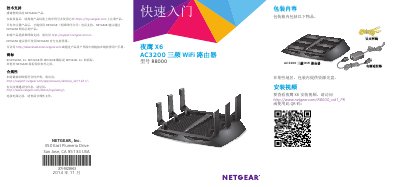

NETGEAR R8000 NightHawk X6 AC3200 WiFi Router User Manual - cover page
Brand
NETGEAR
Category
Router
Document type
User Manual
Language
Chinese
Pages
22
File format
PDF
File size
2.3 MB
Published
22 October, 2026
Updated
22 October, 2026
Model
R8000
MD5 checksum
E3A11C95ED3B22A02F2EE8DD933561AF

About this manual

This document is the user manual for the NETGEAR R8000 NightHawk X6 AC3200 tri-band WiFi router. It details the contents of the package, including the router, power adapter, and Ethernet cable. The guide explains how to register the product for support and provides instructions on adjusting the antennas for optimal performance. This manual is written in Chinese.

What's inside

  • Package Contents
  • Registering the Product
  • Installing the Router
  • Connecting to the Internet
  • WiFi Network Setup
  • Accessing the Router
  • Changing Passwords
  • LED Indicators
  • NETGEAR Genie Application
  • Personal FTP Server

Frequently asked questions

What is the default username and password to log into the router?

The default username is admin and the default password is password.

How long must you hold the WPS button to start the connection process?

You must hold the WPS button for three to five seconds.

What is the default user name for logging into the router?

The default user name is admin.

Download PDF (2.3 MB)

More NETGEAR Manuals


View all NETGEAR manuals →