
Key facts
- Brand
- Kyocera
- Model
- ECOSYS M2030dn
- Category
- All-in-one printer
- Documents
- 4
- Languages
- DE · ES · CA · EN
- Last added
- 2026-11-06
Start here
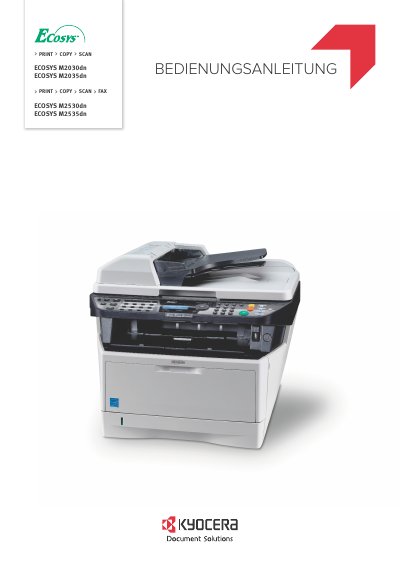
Kyocera ECOSYS M2030dn M2035dn M2530dn M2535dn Multifunction System User Manual
This is the operating manual for the Kyocera ECOSYS M2030dn, ECOSYS M2035dn, ECOSYS M2530dn and ECOSYS M2535dn multifunction systems. The M2030dn and M2035dn support print, copy and scan; the M2530dn and M2535dn also support fax.
The document includes the KYOCERA Document Solutions Deutschland GmbH Bring-In warranty terms, proper operating requirements, fault-handling steps, and information on disposal and recycling of ECOSYS consumables and devices. This manual is written in German.
Kyocera ECOSYS M2030dn specifications
| Warranty type | Bring-In warranty |
|---|---|
| Drum and developer unit coverage | 3 years or max. 100,000 A4 pages |
| Functions (M2030dn/M2035dn) | Print, copy, scan |
| Functions (M2530dn/M2535dn) | Print, copy, scan, fax |
Source: Kyocera ECOSYS M2030dn M2035dn M2530dn M2535dn Multifunction System User Manual
All Kyocera ECOSYS M2030dn documents by type
Day-to-day operation, settings and troubleshooting. Start here if the product is already set up.
- Kyocera ECOSYS M2030dn M2035dn M2530dn M2535dn Multifunction System User Manual 504 p
- Kyocera ECOSYS M2030dn/M2530dn/M2035dn/M2535dn Multifunction Printer User Guide 489 p
- Kyocera ECOSYS M2030dn M2530dn M2035dn M2535dn Printer User Manual 161 p
- ECOSYS M2030dn/ECOSYS M2530dn/ECOSYS M2035dn/ECOSYS M2535dn Operation Guide 485 p
Questions answered in these manuals
How long is the standard warranty?
KYOCERA grants a two-year Bring-In warranty from the date of sale.
From: Kyocera ECOSYS M2030dn M2035dn M2530dn M2535dn Multifunction System User Manual
How long are the drum and developer unit covered?
They are covered for three years or up to 100,000 A4 pages, whichever occurs first.
From: Kyocera ECOSYS M2030dn M2035dn M2530dn M2535dn Multifunction System User Manual
Which ECOSYS models have fax?
Fax functions are available only on products with the fax function installed; the cover marks M2530dn and M2535dn with PRINT, COPY, SCAN and FAX.
From: Kyocera ECOSYS M2030dn/M2530dn/M2035dn/M2535dn Multifunction Printer User Guide
How do I make a copy?
Press the Start key to make copies; copy settings such as paper size and density can also be adjusted.
From: Kyocera ECOSYS M2030dn/M2530dn/M2035dn/M2535dn Multifunction Printer User Guide
Which printer models does this manual cover?
It covers the ECOSYS M2030dn, ECOSYS M2530dn, ECOSYS M2035dn and ECOSYS M2535dn.
From: Kyocera ECOSYS M2030dn M2530dn M2035dn M2535dn Printer User Manual
What operations does the manual describe?
Loading paper, basic copying, printing and scanning operations, and troubleshooting.
From: Kyocera ECOSYS M2030dn M2530dn M2035dn M2535dn Printer User Manual