
Key facts
Start here
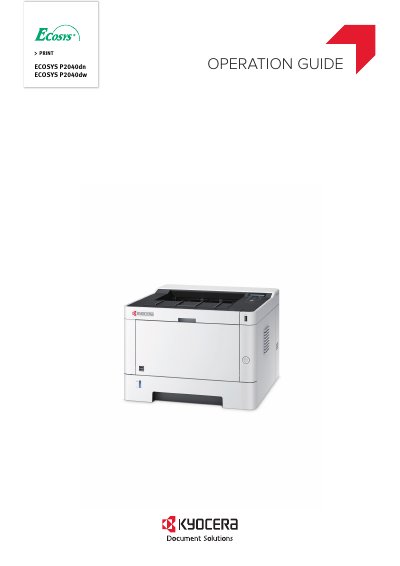
Kyocera ECOSYS P2040dn / ECOSYS P2040dw Operation Guide
This guide helps users operate the Kyocera ECOSYS P2040dn and P2040dw printers correctly, perform routine maintenance, and handle simple troubleshooting. It includes instructions for installation, network setup, printing from PC and handheld devices, user authentication, and maintenance tasks like cleaning and toner replacement. The guide also covers security settings and optional equipment.
The printer supports energy-saving features, wireless connectivity, and functions like EcoPrint and Private Print to reduce costs and enhance security.
All Kyocera P2040dn documents by type
Day-to-day operation, settings and troubleshooting. Start here if the product is already set up.
- Kyocera Ecosys P2235dn, P2235dw, P2040dn, P2040dw, M2135dn, M2040dn, M2635dn, M2635dw, M2735dw, M2540dn, M2540dw, M2640idw Series Product User Manual 93 p
- Kyocera ECOSYS P2040dn ECOSYS P2040dw Operation Guide 241 p
- Kyocera ECOSYS P2040dn / ECOSYS P2040dw Operation Guide 242 p
- Kyocera ECOSYS P2040dn ECOSYS P2040dw Printer Operating Manual 241 p
Questions answered in these manuals
What operating systems are supported by this driver guide?
The guide supports Windows 7, Windows 10, Windows 8.1, Windows 8, Windows Vista, Windows XP, and various Windows Server versions including 2012 R2, 2012, 2008 R2, 2008, and 2003.
What is required to install the printer driver in Windows?
You must be logged in with administrator rights to install the printer driver in Windows operating systems.
What is the purpose of the Energy Saver function?
The machine is equipped with Energy Saver function that automatically switched into Sleep Mode.
What is the function of EcoPrint Mode?
You can save toner consumption with this function.
What is the purpose of the EcoPrint function?
This function allows you to save toner consumption when high-quality print is not required, such as for trial print runs or internal confirmation documents.
From: Kyocera ECOSYS P2040dn / ECOSYS P2040dw Operation Guide
How does the Energy Saver function help reduce paper use?
The machine automatically switches into Sleep Mode to save energy, and it also supports printing multiple originals onto one sheet.
From: Kyocera ECOSYS P2040dn / ECOSYS P2040dw Operation Guide