
Key facts
- Brand
- Honeywell
- Model
- TH8000 Series
- Category
- Other
- Industry
- Appliances
- Documents
- 4
- Languages
- EN
- Last added
- 2026-10-05
Start here
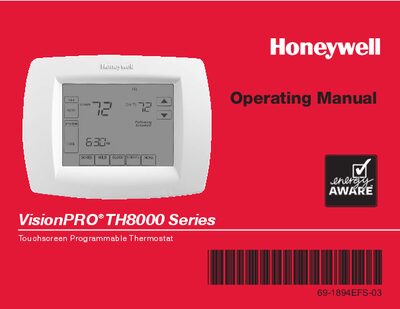
Honeywell VisionPRO TH8000 Series Touchscreen Programmable Thermostat Operating Manual
The VisionPRO TH8000 Series thermostat offers a large back‑lit touchscreen, 7‑day programmable schedules, one‑touch temperature overrides, and optional humidity control for select models. It supports various system configurations, from single‑stage heating/cooling to multi‑stage systems with dehumidification.
This operating manual walks you through initial installation, clock and fan settings, system mode selection, programming schedules, battery replacement, advanced functions, troubleshooting, and warranty information. Quick‑reference charts make it easy to locate controls and status displays.
Honeywell TH8000 Series specifications
| Heat temperature range | 40° to 90°F (4.5° to 32°C) |
|---|---|
| Operating ambient temperature | 0° to 120°F (-18° to 48.9°C) |
| Physical dimensions | 4‑9/16" H × 6" W × 1‑3/8" D (116 mm H × 152 mm W × 35 mm D) |
| Heating terminal voltage and current | 20‑30 Vac, 0.02‑1.0 A |
| Cooling terminal voltage and current | 20‑30 Vac, 0.02‑1.0 A |
Source: Honeywell TH8000 Series Touch-screen Programmable Thermostat Installation Guide
All Honeywell TH8000 Series documents by type
Mounting, wiring and first power-up. Read it before the hardware goes in.
Day-to-day operation, settings and troubleshooting. Start here if the product is already set up.
Questions answered in these manuals
How can the backlight setting be changed?
Set Backlight to 0 for an 8‑second illumination after a keypress, or to 1 for continuous full‑bright backlight (requires 24VAC connection).
From: Honeywell TH8000 Series Touch-screen Programmable Thermostat Installation Guide
How do I enable Dehumidification Away Mode?
Set function 0390 (Dehumidification Away Mode) to 1 (Yes) in the installer setup.
From: Honeywell TH8000 Series Touch-screen Programmable Thermostat Installation Guide
How do I set the clock?
Press the CLOCK button, then press “s” or “t” to adjust the time, and press DONE to save the setting.
From: Honeywell VisionPRO TH8000 Series Touchscreen Programmable Thermostat Operating Manual
How can I change the fan setting?
Press the FAN button to select On, Auto, or Circ; press DONE to confirm. Auto runs the fan only when heating or cooling is active.
From: Honeywell VisionPRO TH8000 Series Touchscreen Programmable Thermostat Operating Manual
How can I override the programmed schedule?
Use the one‑touch temperature control to override the program schedule at any time.
What is the contact information for technical assistance?
Visit http://yourhome.honeywell.com or call Honeywell Customer Care toll‑free at 1‑800‑468‑1502.