
Key facts
- Brand
- Honeywell
- Model
- TB7220U
- Industry
- Industrial
- Documents
- 2
- Languages
- EN
- Last added
- 2012-05-07
Start here
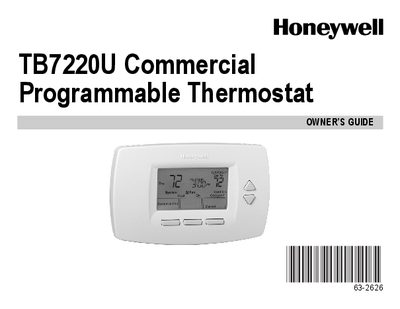
Honeywell TB7220U Commercial Programmable Thermostat Owner's Guide
The guide introduces the TB7220U thermostat’s key features, including a large backlit display, menu‑driven programming, real‑time clock with daylight‑saving updates, and outdoor temperature indication. It also describes how the device provides precise temperature control (+1 °F) and multiple override options for up to 365 days.
Detailed instructions cover navigating the main screen, editing and reviewing heating and cooling schedules, and using the armchair programming feature. The manual explains how to save changes, cancel edits, and replace batteries, and includes a FAQ section and warranty information.
Honeywell TB7220U specifications
| Thermostat Dimensions | 3‑3/4 in. high × 6 in. wide × 1‑3/8 in. deep |
|---|---|
| Heating Temperature Setting Range | 40 °F to 90 °F (4.5 °C to 32 °C) |
| Cooling Temperature Setting Range | 50 °F to 99 °F (10 °C to 37 °C) |
Source: Honeywell TB7220U Programmable Thermostat Installation Guide
All Honeywell TB7220U documents by type
Mounting, wiring and first power-up. Read it before the hardware goes in.
Day-to-day operation, settings and troubleshooting. Start here if the product is already set up.
Questions answered in these manuals
How can the TB7220U thermostat be powered?
It can be powered by batteries only, by a 24 Vac direct connection, or by a 24 Vac connection with battery backup.
From: Honeywell TB7220U Programmable Thermostat Installation Guide
What is the wiring requirement for a single‑transformer system?
Connect the common side of the transformer to the C screw terminal of the wallplate and leave the metal jumper wire in place between RC and R.
From: Honeywell TB7220U Programmable Thermostat Installation Guide