
Key facts
Start here
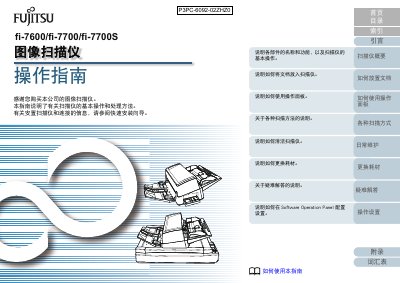
Fujitsu FI-7600/FI-7700/FI-7700S Image Scanner User Guide
This manual provides instructions on how to use the Fujitsu FI-7600, FI-7700, and FI-7700S image scanners. It details basic operations such as placing documents in the Automatic Document Feeder (ADF) or on the flatbed glass, using the operation panel, and performing various scan methods including color, grayscale, and black & white.
The guide also covers daily maintenance procedures, how to replace consumables like toner cartridges, and provides a troubleshooting section for common issues. Additionally, it explains how to configure settings via the Software Operation Panel.
Fujitsu fi-7700 specifications
| Scanning Speed (Simplex) | 200 pages/minute |
|---|---|
| Scanning Speed (Duplex) | 100 pages/minute |
| ADF Capacity | 300 Sheets |
| Flatbed Maximum Size | 12" x 17" |
| Long Page Scanning | Up to 200m |
| Output Resolution | 50 to 600 dpi |
| Interface | USB 3.1 Gen 1 / USB 3.0 / USB 2.0 / USB 1.1 |
| Power Consumption (Operating Mode) | 55 W or less |
| Operating Temperature | 5 to 35 °C |
| Dimensions (W x D x H) | 25.2" x 18.7" x 8.4" |
Source: Fujitsu fi-7700 Production-class ADF Scanner Product Leaflet
All Fujitsu fi-7700 documents by type
Day-to-day operation, settings and troubleshooting. Start here if the product is already set up.
Questions answered in these manuals
What is the maximum scanning speed of the fi-7700?
The scanner can accurately power through documents at up to 200 images per minute.
From: Fujitsu fi-7700 Production-class ADF Scanner Product Leaflet
Does the fi-7700 support scanning plastic cards?
Yes, it can scan up to 3 flat plastic cards or one embossed card at a time.
From: Fujitsu fi-7700 Production-class ADF Scanner Product Leaflet
What is the scanning speed of the FI-7700S?
The scanner processes documents at a rate of 75 ppm for single-sided scans.
From: Fujitsu FI-7600/FI-7700/FI-7700S Image Scanner User Guide
What software is required to view or print this guide?
You must install Adobe Acrobat (7.0 or later) or Adobe Reader (7.0 or later).
From: Fujitsu FI-7600/FI-7700/FI-7700S Image Scanner User Guide