
Key facts
Start here
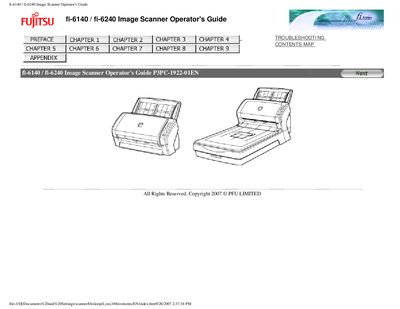
Fujitsu fi-6140 / fi-6240 Image Scanner Operator's Guide
This guide explains how to install, configure, and safely operate the Fujitsu fi-6140 and fi-6240 duplex color image scanners. It includes safety precautions, regulatory compliance information, and detailed descriptions of the scanner's functions and button operations.
The manual also covers troubleshooting steps, button‑press actions such as the Scan and Send‑to functions, and environmental considerations like ENERGY STAR compliance and mercury handling.
All FUJITSU fi-6140 documents by type
Day-to-day operation, settings and troubleshooting. Start here if the product is already set up.
Questions answered in these manuals
What is the maximum length allowed for the AC power cord?
The AC power cord length must not exceed 3 meters.
From: Fujitsu fi-6140/fi-6240/fi-6130/fi-6230 Image Scanner User Manual
What is the maximum sound pressure level for this scanner?
The highest sound pressure level is 70 dB (A) or less.
From: Fujitsu fi-6140/fi-6240/fi-6130/fi-6230 Image Scanner User Manual
What is the maximum allowed length for the AC cable?
The AC cable must be 3 meters (10 feet) or less.
From: FUJITSU fi-6140/fi-6240/fi-6130/fi-6230 Image Scanner User's Guide
What is the maximum sound pressure level of the scanner?
The maximum sound pressure level is 70 dB (A) or less.
From: FUJITSU fi-6140/fi-6240/fi-6130/fi-6230 Image Scanner User's Guide
What safety precaution is required regarding mercury in the scanner?
Do not put the substance contained in the lamp in your mouth.
From: Fujitsu fi-6140 / fi-6240 Image Scanner Operator's Guide
What is the maximum allowed length for the AC power cable?
The AC cable must be 2 meters (6.6 feet) or less.
From: Fujitsu fi-6140 / fi-6240 Image Scanner Operator's Guide