
Dell Inspiron 15 5000 Series Quick Start Guide

Inspiron 15 5000 Series Quick Start Guide
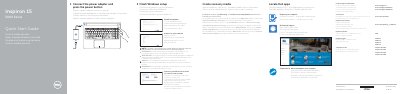

Dell Inspiron 15 5000 Series Quick Start Guide - cover page
Brand
DELL
Category
Laptops
Document type
User Manual
Language
English
Pages
2
File format
PDF
File size
374 KB
Published
20 November, 2023
Updated
20 November, 2023
MD5 checksum
93B08A700D585B3A04515634739A30C3

About this manual

This document serves as a Quick Start Guide for the Dell Inspiron 15 5000 Series, specifically models Inspiron 15-5551, Inspiron 15-5552, Inspiron 15-5555, and Inspiron 15-5558. It provides instructions for connecting the power adapter, finishing the Windows setup, enabling updates, and registering the computer. The guide is printed in 2015 and includes support information for Dell Help & Support.

What's inside

  • Connect the power adapter
  • Finish Windows setup
  • Enable Dell updates
  • Connect to your network
  • Features
  • Shortcut keys

Frequently asked questions

Which specific Inspiron 15 5000 models does this guide cover?

This guide covers the Inspiron 15-5551, Inspiron 15-5552, Inspiron 15-5555, and Inspiron 15-5558 models.

What steps are required to connect to a secured wireless network?

You must enter the password for the wireless network access when prompted.

How do you create recovery media in Windows?

In Windows search, type Recovery, click Create a recovery media, and follow the instructions on the screen.

Download PDF (374 KB)

More DELL Manuals


View all DELL manuals →