
Dell Inspiron 15-5558 and Inspiron 15-5551 Notebook Quick Start Guide

Inspiron 15-5558 and Inspiron 15-5551 Notebook Quick Start Guide
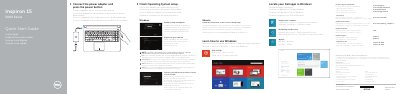

Dell Inspiron 15-5558 and Inspiron 15-5551 Notebook Quick Start Guide - cover page
Brand
DELL
Category
Laptops
Document type
Quick Start Guide
Language
English
Pages
2
File format
PDF
File size
494 KB
Published
19 November, 2023
Updated
19 November, 2023
MD5 checksum
1CA41825830A475D62BE19139137BF15

About this manual

This quick start guide helps set up Dell Inspiron 15-5558 and Inspiron 15-5551 computers, beginning with connecting the power adapter and pressing the power button, then completing operating system setup.

It also identifies the computers' ports, controls, shortcut keys, and regulatory information.

What's inside

  • Connect the power adapter and press the power button
  • Finish Operating System setup
  • Enable security and updates
  • Connect to your network
  • Sign in to your Microsoft account or create a local account
  • Learn how to use Windows
  • Locate your Dell apps in Windows
  • Register your computer
  • Features
  • Shortcut keys

Specifications

Regulatory modelP51F
Regulatory typeP51F001, P51F003
Computer modelInspiron 15-5558, Inspiron 15-5551
Supply voltage100 V AC-240 V AC
Frequency50 Hz-60 Hz
Input current1.30 A/1.60 A/1.70 A
Output voltage19.50 V DC
Output current2.31 A/3.34 A
Country of originChina

Frequently asked questions

Which computer models are covered by this guide?

Inspiron 15-5558 and Inspiron 15-5551.

What is the first setup step?

Connect the power adapter and press the power button.

Which features are only on the Inspiron 15-5558?

The left microphone and network port are Inspiron 15-5558 only.

Where is the regulatory label located?

In the battery bay.

Download PDF (494 KB)

More DELL Manuals


View all DELL manuals →