
Dell Inspiron 15-5558 Laptop Quick Start Guide

Inspiron 15-5558 Laptop Quick Start Guide
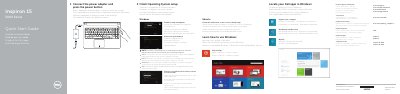

Dell Inspiron 15-5558 Laptop Quick Start Guide - cover page
Brand
DELL
Category
Laptops
Document type
Quick Start Guide
Language
English
Pages
2
File format
PDF
File size
494 KB
Published
19 November, 2023
Updated
19 November, 2023
MD5 checksum
E0E85FB0FAFB5CB1DD936D3CF02DBACF

About this manual

This document serves as a Quick Start Guide for the Dell Inspiron 15-5558 laptop. It provides multilingual instructions for initial setup, including connecting the power adapter, finishing the operating system setup, and connecting to a network. The guide also covers registering the computer and accessing support resources.

What's inside

  • Connect the power adapter
  • Finish Operating System setup
  • Connect to your network
  • Sign in to your Microsoft account
  • Register your computer
  • Features
  • Shortcut keys

Frequently asked questions

How do you turn on the laptop?

Connect the power adapter and press the power button.

What should you do when connecting to a secured wireless network?

Enter the password for the wireless network access when prompted.

Which microphone is listed only for the Inspiron 15-5558?

The left microphone is listed only for the Inspiron 15-5558.

How many USB 2.0 ports does the laptop have?

It has 2 USB 2.0 ports.

Download PDF (494 KB)

More DELL Manuals


View all DELL manuals →