
Dell Inspiron 15-5558 and 15-5551 Notebook Quick Start Guide

Dell Inspiron 15-5558 and Inspiron 15-5551 Notebook Quick Start Guide
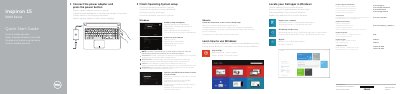

Dell Inspiron 15-5558 and 15-5551 Notebook Quick Start Guide - cover page
Brand
DELL
Category
Laptops
Document type
User Manual
Language
English
Pages
2
File format
PDF
File size
495 KB
Published
20 November, 2023
Updated
20 November, 2023
MD5 checksum
EC475E809AF6942360EF5B4572FC7C8B

About this manual

This document serves as a quick start guide for the Dell Inspiron 15-5558 and Inspiron 15-5551 notebooks. It provides initial setup instructions in multiple languages, covering power connection, operating system configuration, and network setup. The guide also directs users to register their computer and utilize Dell Backup and Recovery software.

What's inside

  • Connect the power adapter
  • Finish Operating System setup
  • Enable security and updates
  • Connect to your network
  • Sign in to your Microsoft account
  • Register your computer
  • Features
  • Shortcut keys

Frequently asked questions

Which specific Dell Inspiron models does this quick start guide cover?

This guide is for the Inspiron 15-5558 and Inspiron 15-5551 notebook models.

What steps are required to connect the computer to a secured wireless network?

You must enter the password for the wireless network access when prompted.

Download PDF (495 KB)

More DELL Manuals


View all DELL manuals →