
Inspiron 15-5558 and Inspiron 15-5551 laptop quick start guide
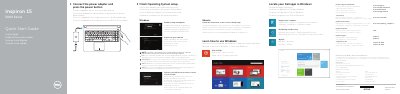
This quick start guide covers initial setup for the Dell Inspiron 15-5558 and Inspiron 15-5551 laptops, including connecting power, completing operating system setup, connecting to a network, and signing in to a Microsoft account.
It also identifies laptop features and shortcut keys, provides regulatory and safety information, and points to Dell product support, manuals, and backup and recovery resources.
| Regulatory model | P51F |
|---|---|
| Power supply voltage | 100 V AC-240 V AC |
| Power supply frequency | 50 Hz-60 Hz |
| Input current | 1.30 A/1.60 A/1.70 A |
| Output voltage | 19.50 V DC |
| Output current | 2.31 A/3.34 A |
It covers the Dell Inspiron 15-5558 and Inspiron 15-5551.
The left microphone and network port are available on the Inspiron 15-5558 only.
The regulatory label is in the battery bay.
More information is available in Specifications at dell.com/support.