
Dell Inspiron 15-5558 Quick Start Guide

Inspiron 15-5558 Laptop Quick Start Guide
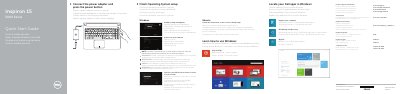

Dell Inspiron 15-5558 Quick Start Guide - cover page
Brand
DELL
Category
Laptops
Document type
Quick Start Guide
Language
CS
Pages
2
File format
PDF
File size
494 KB
Published
19 November, 2023
Updated
19 November, 2023
MD5 checksum
DFCBCE73634F92CF851BF46B48A2376A

About this manual

This document is a Quick Start Guide for the Dell Inspiron 15-5558 laptop. It provides instructions for connecting the power adapter, setting up the operating system, and enabling security features. The guide is available in multiple languages including Czech, Hungarian, Polish, and Slovak. This manual is written in Czech.

What's inside

  • Connect the power adapter
  • Finish Operating System setup
  • Enable security and updates
  • Connect to your network
  • Sign in to your Microsoft account
  • Features
  • Shortcut keys

Frequently asked questions

How do I turn on the Dell Inspiron 15-5558?

Connect the power adapter and press the power button.

How do I connect the Dell Inspiron 15-5558 to a network?

Connect to your network. If you are connecting to a secured wireless network, enter the password for the wireless network access when prompted.

How do I sign in to Microsoft or create a local account?

Sign in to your Microsoft account or create a local account.

Download PDF (494 KB)

More DELL Manuals


View all DELL manuals →