
Inspiron 15-5558 Laptop Quick Start Guide
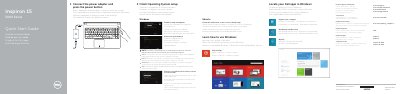
This quick start guide helps set up the Dell Inspiron 15-5558 laptop. It covers connecting power, finishing operating system setup, and using Windows or Ubuntu.
The guide also identifies the laptop's ports, controls, and shortcut keys. Features include a camera, media-card reader, USB ports, HDMI port, optical drive, and security-cable slot; some features, such as the left microphone and network port, are available on the Inspiron 15-5558 only.
| USB 2.0 ports | 2 |
|---|---|
| Network port | Inspiron 15-5558 only |
| Left microphone | Inspiron 15-5558 only |
Follow the instructions on the screen to finish setup.
The network port is available on the Inspiron 15-5558 only.
See Specifications at dell.com/support.