
Dell Inspiron 15-5558 and 15-5551 Notebook Quick Start Guide

Inspiron 15-5558 and Inspiron 15-5551 Notebook Quick Start Guide
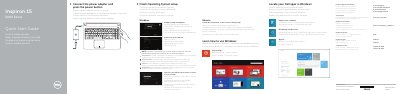

Dell Inspiron 15-5558 and 15-5551 Notebook Quick Start Guide - cover page
Brand
DELL
Category
Laptops
Document type
Quick Start Guide
Language
CS
Pages
2
File format
PDF
File size
494 KB
Published
20 November, 2023
Updated
20 November, 2023
MD5 checksum
2F8D297C3BD50054F4DDB9E9560FA388

About this manual

This document serves as a quick start guide for the Dell Inspiron 15-5558 and Inspiron 15-5551 notebooks. It provides multilingual instructions for initial setup, including connecting the power adapter, enabling security updates, and signing into a Microsoft account or creating a local one. The guide also covers finishing the setup for the Ubuntu operating system. This manual is written in Czech.

What's inside

  • Connect the power adapter
  • Finish Operating System setup
  • Enable security and updates
  • Connect to your network
  • Sign in to your Microsoft account
  • Features
  • Shortcut keys

Frequently asked questions

Which Dell Inspiron models are covered by this guide?

This guide applies to the Inspiron 15-5558 and Inspiron 15-5551 notebook models.

What is the regulatory model number for this computer?

The regulatory model number for this computer is P51F.

How many USB 2.0 ports are on the Inspiron 15-5558?

The Inspiron 15-5558 has two USB 2.0 ports.

Download PDF (494 KB)

More DELL Manuals


View all DELL manuals →