
Key facts
- Brand
- DELL
- Model
- A20 Rails
- Category
- Server peripheral
- Documents
- 2
- Languages
- EN
- Last added
- 2023-11-24
Start here
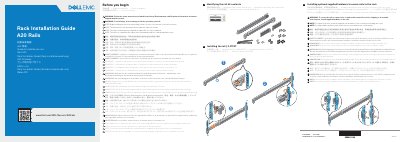
Dell A20 Rails Rack Installation Guide
Installation Guide 2 pages · 2.3 MB · EN
This document provides instructions for identifying the contents of a Dell A20 rail kit and installing the rails into a rack enclosure. It covers compatibility with square hole, unthreaded round hole, and threaded hole racks, as well as the use of optional supplied hardware for securing the rails in unstable environments.
Read onlineDell A20 Rails specifications
| Rack compatibility | Square hole, unthreaded round hole, and threaded hole racks |
|---|---|
| Tooled mounting screwdriver | #2 cross tip screwdriver |
| Optional securing hardware for square hole racks | Supplied conical washer installed on the screw before screw installation |
| Optional securing hardware for unthreaded round hole racks | Screw only, without the conical washer |
All Dell A20 Rails documents by type
Installation Guide 2
Mounting, wiring and first power-up. Read it before the hardware goes in.
Questions answered in these manuals
Which rack types are compatible with this rail kit?
Square hole, unthreaded round hole, and threaded hole racks.
What tool is required for tooled rail mounting?
A #2 cross tip screwdriver.