
Key facts
Start here
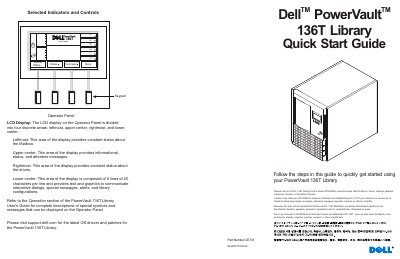
Dell PowerVault 136T Tape Library Quick Start Guide
This Quick Start Guide helps users get started with the Dell PowerVault 136T Library. It describes the operator panel LCD display areas, including mailbox status, drive status, and interactive dialogs, and refers to the User’s Guide for complete symbol and message descriptions.
Setup steps include installing drive modules in empty bays, connecting SCSI jumper cables and terminators, attaching AC power, connecting SCSI cables to the host HBA, removing packing material, installing magazines, and powering up the library and host computer.
Dell PowerVault 136T specifications
| Installed tape drives | 1 to 6 |
|---|---|
| Cartridge capacity configurations | 18/36/54/72 |
| Maximum cartridges per LTO magazine | 6 |
| SCSI ID range | 0 to 7 |
| Default SCSI ID | 0 |
| SNMP version supported by RMU | 2.0 |
| Tape Alert compatibility | 3.0 |
| Rack form factor | 19-inch standard rack model |
| Publication date | 4 September 2001 |
| Last revision date | 19 March 2002 |
All Dell PowerVault 136T documents by type
Day-to-day operation, settings and troubleshooting. Start here if the product is already set up.
- Dell PowerVault 136T LTO Tape Library User's Guide 104 p
- Dell PowerVault 136T LTO Tape Library User's Guide 108 p
- Dell PowerVault 136T LTO Tape Library User's Guide 110 p
- Dell PowerVault 136T LTO Library User's Guide 107 p
- Dell PowerVault 136T LTO Tape Library User's Guide 104 p
- Dell PowerVault 136T LTO Tape Library User Manual 58 p
The shortest path to a working setup, usually only a few pages.
Questions answered in these manuals
How many tape drives can the Dell PowerVault 136T LTO library hold?
The library can accommodate 1 to 6 tape drives, and the storage capacity varies with the media type and the number of installed drives.
What is the default SCSI ID of the library?
The default SCSI ID is 0, and the SCSI ID must be between 0 and 7.
How many tape drives can the library use?
It can be configured to use from 1 to 16 tape drives.
What is the default SCSI ID?
The default SCSI ID is 0.
What is the maximum number of tape drives supported?
The library can be configured with a maximum of 6 tape drives.
Can the library be used as a standalone unit?
Yes, the library is offered as either a stand-alone model or a standard 19 inch rack mounted model.