
Inspiron 15-5552 Laptop Quick Start Guide
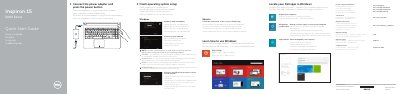
This Dell quick start guide helps you set up the Inspiron 15-5552 laptop. It covers connecting the power adapter, pressing the power button, and completing the operating system setup for Windows or Ubuntu.
The guide also lists the laptop's features, including ports and buttons, and describes shortcut keys for audio, display, wireless, and power functions. Product support and manuals are available at dell.com/support.
| HDMI port | HDMI port |
|---|---|
| USB 3.0 port | USB 3.0 port |
| USB 2.0 ports | 2 |
| Optical drive | Optical drive |
The computer model is Inspiron 15-5552.
Connect the power adapter and press the power button.
Product support and manuals are available at dell.com/support.