
Key facts
Start here
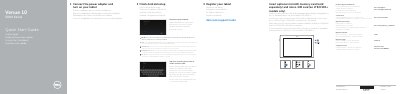
Dell Venue 10 5000 Series Quick Start Guide
This quick start guide covers the Dell Venue 10 5000 Series tablet, including the Venue 10 5050 and Venue 10 5050 WWAN models. It explains connecting the power adapter, completing Android setup, registering the tablet, and using the optional keyboard dock.
The guide also identifies tablet features and controls, describes laptop and media modes, and provides product support, regulatory, and safety information. It is presented in English, Dutch, French, German, and Spanish.
Dell Venue 10 5000 Series specifications
| Computer model | Venue 10 5050 / Venue 10 5050 WWAN |
|---|---|
| Regulatory model | T14G |
| Regulatory type | T14G001 |
| Micro-SIM reader | LTE/HSPA+ models only |
| Keyboard dock | Optional |
| Pen | Optional |
All Dell Venue 10 5000 Series documents by type
The shortest path to a working setup, usually only a few pages.
Questions answered in these manuals
How do I connect the keyboard dock to the tablet?
Align the dock latches with the tablet dock-guides and dock the tablet to the keyboard dock.
How do I disconnect the keyboard dock?
Press the undock button and remove the tablet.
Does this tablet support LTE/HSPA+?
Yes, but only specific models include a Micro-SIM reader for LTE/HSPA+.
Is the keyboard dock included?
No, the keyboard dock is an optional accessory.