
Inspiron 15-5552 Laptop Quick Start Guide
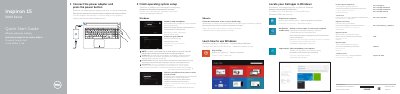
The guide walks through initial setup: connect the power adapter, press the power button, complete operating system setup, enable security and updates, connect to a network, and sign in to a Microsoft or local account. It also points to Dell support resources and preinstalled apps like SupportAssist and Dell Backup and Recovery.
The features section identifies 19 components including microphone, camera, HDMI port, USB 3.0 and USB 2.0 ports, media-card reader, optical drive, security-cable slot, power button, battery, and regulatory labels. Shortcut keys for audio, brightness, display switching, search, wireless, sleep, and Fn-key lock are also illustrated.
| HDMI port | 1 |
|---|---|
| USB 3.0 port | 1 |
| USB 2.0 ports | 2 |
| Media-card reader | 1 |
| Optical drive | 1 |
| Security-cable slot | 1 |
| Power button | 1 |
| Battery | 1 |
Connect the power adapter and press the power button.
The regulatory label is located in the battery bay.
The shortcut key toggles the Fn-key lock.
Select your network and enter the password when prompted.