
Inspiron 15-5552 Laptop Quick Start Guide
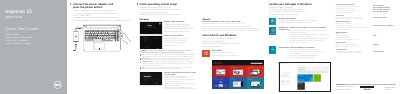
This quick start guide helps you connect the power adapter, turn on the Dell Inspiron 15-5552, and finish operating system setup. It also lists steps for connecting to a network, signing in, enabling security and updates, and using Dell support and recovery tools.
The guide includes a labeled features diagram and a shortcut-key reference for audio, brightness, wireless, sleep, and other functions. It also provides product support, regulatory, and safety information links.
| USB 3.0 port | 1 |
|---|---|
| USB 2.0 ports | 2 |
| HDMI port | 1 |
| Optical drive | 1 |
| Media-card reader | 1 |
| Headset port | 1 |
| Security-cable slot | 1 |
| Camera | 1 |
Connect the power adapter and press the power button.
Follow the instructions on the screen to finish setup.
Enter the password for the wireless network access when prompted.
See Specifications at dell.com/support.