
Key facts
Start here
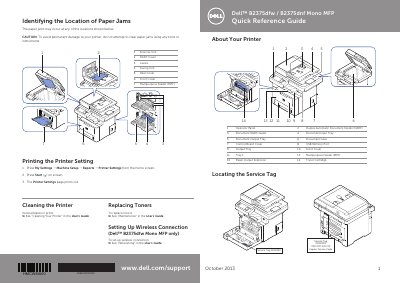
Dell B2375dfw/B2375dnf Mono MFP Quick Reference Guide
This document serves as a quick reference guide for the Dell B2375dfw and B2375dnf Mono Multifunction Printers (MFP). It provides visual identification of key printer components, including the Operator Panel, Document Input Tray, Duplex Automatic Document Feeder (DADF), and Multipurpose Feeder (MPF). The guide also includes a diagram for locating the Service Tag and Express Service Code.
Read onlineAll Dell B2375dfw documents by type
Day-to-day operation, settings and troubleshooting. Start here if the product is already set up.
The shortest path to a working setup, usually only a few pages.
Questions answered in these manuals
How can I order replacement toner cartridges for the printer?
You can order supplies by visiting Dell's website or by double-clicking the Dell Supplies Ordering Utility icon on your desktop.
What does a blinking orange Status LED indicate?
A blinking orange light means a minor error has occurred and the machine is waiting for it to be cleared.
What does the orange Status LED indicate?
The orange Status LED indicates that a minor error has occurred and the machine is waiting for the error to be cleared.
What does the blue Status LED indicate?
The blue Status LED indicates that the toner cartridge is low and you can temporarily improve print quality by redistribution.
How do I order replacement toner cartridges or consumables from Dell?
Double-click the Dell B2375dnf Mono MFP Dell Consumables Ordering Utility or Dell B2375dfw Mono MFP Dell Consumables Ordering Utility icon on the desktop, or visit http://www.dell.com/supplies.
How do I contact Dell for sales, technical support, or customer service?
Visit www.dell.com/support, confirm your country or region in the Choose A Country/Region menu, click Contact Us, choose the appropriate service or support link, and select your preferred Dell contact method.