
Dell Inspiron 15-5552 Computer Quick Start Guide

This document describes how to set up a Windows computer.
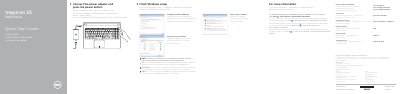

Dell Inspiron 15-5552 Computer Quick Start Guide - cover page
Brand
DELL
Category
Laptops
Document type
Quick Start Guide
Language
English
Pages
2
File format
PDF
File size
186 KB
Published
19 November, 2023
Updated
19 November, 2023
MD5 checksum
FB566B6B408C4951CC8330D25F830C76

About this manual

The guide walks the user through connecting the power adapter, pressing the power button, setting a Windows password, connecting to a network, and protecting the computer.

It also lists the computer's hardware features such as microphone, camera, various ports, and provides shortcut key functions, and directs users to the specifications page on dell.com/support for more information.

What's inside

  • Finish Windows setup
  • Connect the power adapter
  • Set up password for Windows
  • Connect to your network
  • Protect your computer
  • Features
  • Shortcut keys
  • Specifications

Specifications

Input voltage100 V CA–240 V CA
Frequency50 Hz–60 Hz
Input current1.30 A/1.60 A/1.70 A
Output voltage19.50 V
Output current2.31 A/3.34 A

Frequently asked questions

How do I set a password for Windows?

Enter the password when prompted.

What is the first step to turn on the computer?

Connect the power adapter and press the power button.

Where can I find more information about features and advanced options?

Click Start → All Programs → Dell Help Documentation.

What is the regulatory model number?

P51F.

Download PDF (186 KB)

More DELL Manuals


View all DELL manuals →