
Key facts
- Brand
- SONY
- Model
- ICD-PX312MIC
- Category
- Digital
- Industry
- Electronics
- Documents
- 2
- Languages
- EN · ZH
- Last added
- 2026-10-25
Start here
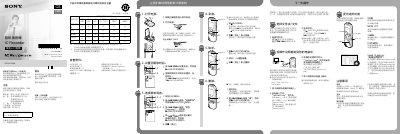
Sony ICD-PX312MIC IC Recorder Quick Start Guide
This Quick Start Guide introduces the Sony ICD-PX312MIC IC Recorder and provides step-by-step instructions for initial setup, including inserting batteries, setting the date and time, and selecting the menu language. It covers essential functions such as turning the device on and off, recording audio, playing back files, adjusting volume, and deleting recordings.
Read onlineSony ICD-PX312MIC specifications
| Rated current consumption | 800 mA |
|---|---|
| Capacity (User available capacity) | 2 GB |
| Power supply | 3.0 V or 2.4 V DC |
All Sony ICD-PX312MIC documents by type
The shortest path to a working setup, usually only a few pages.
Day-to-day operation, settings and troubleshooting. Start here if the product is already set up.
Questions answered in these manuals
How do I turn the IC recorder on and off?
To turn on, slide the switch for more than 1 second. To turn off, slide the switch in the direction of 'POWER ON/OFF' for more than 2 seconds.
Can I pause and restart recording?
Yes, you can pause recording by pressing REC/PAUSE. Pressing it again will restart the recording.
What is the maximum number of files that can be recorded on an M2 card?
Up to 4074 files can be recorded on an M2™ card.
Can the recorder be used as USB memory?
Yes, the IC Recorder can be used as a USB large capacity storage device.