
This guide provides basic setup and operation instructions for the Sony ICD-PX312MIC IC Recorder, including power, recording, playback, and file management.
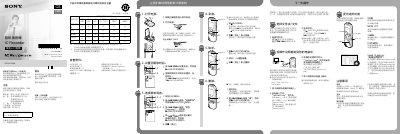
This Quick Start Guide introduces the Sony ICD-PX312MIC IC Recorder and provides step-by-step instructions for initial setup, including inserting batteries, setting the date and time, and selecting the menu language. It covers essential functions such as turning the device on and off, recording audio, playing back files, adjusting volume, and deleting recordings.
| Rated current consumption | 800 mA |
|---|---|
| Capacity (User available capacity) | 2 GB |
| Power supply | 3.0 V or 2.4 V DC |
To turn on, slide the switch for more than 1 second. To turn off, slide the switch in the direction of 'POWER ON/OFF' for more than 2 seconds.
Yes, you can pause recording by pressing REC/PAUSE. Pressing it again will restart the recording.
Once a file is erased, it cannot be restored.