
Key facts
- Brand
- Siemens
- Model
- RDF310.2
- Category
- Automation control Equipment
- Documents
- 2
- Languages
- ZH
- Last added
- 2023-11-03
Start here
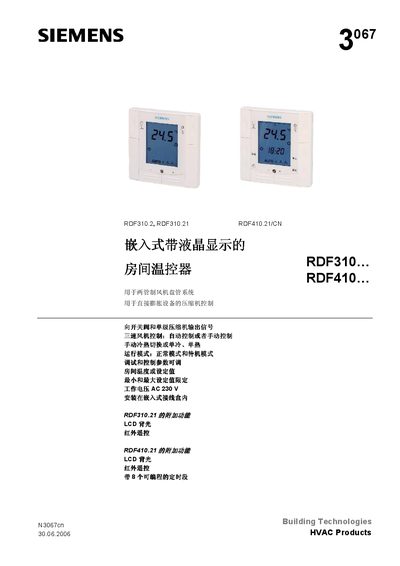
Building Technologies RDF310.2 / RDF310.21 / RDF410.21 Room Temperature Controller User Manual
The manual describes the purpose, applications and functional features of the Building Technologies room temperature controllers (RDF310.2, RDF310.21, RDF410.21/CN). It explains how the controller can manage heating, cooling and fan speed for two‑pipe fan‑coil systems or direct‑expansion compressors, with options such as manual/auto fan control, infrared remote, LCD backlight and 8 programmable time periods.
Installation instructions, wiring diagrams, parameter settings, fault handling and detailed technical specifications are provided. The document also lists compatible accessories, such as remote controls, sensors and actuators, and explains how to adjust parameters (P01‑P25) for temperature set‑points, fan speed, mode switching and display units. This manual is written in Chinese.
Siemens RDF310.2 specifications
| Room temperature setpoint range | 5 to 40 °C, limited by parameters P05 and P06 |
|---|---|
| Protection mode heating setpoint (P03) | 8 °C factory setting; OFF, 5 °C…WcoolStb |
| Comfort mode minimum setpoint limit (P05) | 5 °C factory setting; 5 °C…WmaxNorm |
| Comfort mode maximum setpoint limit (P06) | 35 °C factory setting; WminNorm…40 °C |
| Sensor calibration (P07) | 0 K factory setting; -3…3 K |
| Fan speed change delay in auto mode (P14) | 2 minutes factory setting; 1…5 minutes |
| Temperature unit selection (P17) | °C factory setting; °C or °F |
| Manual fan speeds | Low, medium, high |
Source: Siemens RDF310.2/MM Thermostat Operating Instructions
All Siemens RDF310.2 documents by type
Day-to-day operation, settings and troubleshooting. Start here if the product is already set up.
Questions answered in these manuals
How do I adjust the room temperature setpoint on the RDF310.2/MM?
In comfort mode, press + or – to raise or lower the current setpoint in steps of 1.0 °C. The setting range is 5 to 40 °C and can be limited with parameters P05 and P06.
How do I set the thermostat to protection mode?
Press the mode button; the protection mode icon appears on the display. The thermostat then holds the lower heating setpoint from P03 for frost protection or the higher cooling setpoint from P04 for mold protection.