
Panasonic SC-AP01 Wireless Network Setup Guide

Quick start guide for setting up the Panasonic SC-AP01 Compact Stereo System to a wireless network and using AirPlay with iOS devices.
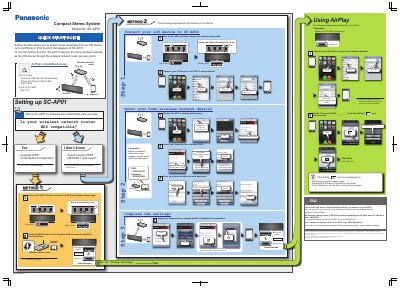

Panasonic SC-AP01 Wireless Network Setup Guide - cover page
Brand
Panasonic
Category
Other Electronics
Document type
Quick Start Guide
Language
English
Pages
1
File format
PDF
File size
2.4 MB
Published
31 October, 2026
Updated
31 October, 2026
Model
SC-AP01
MD5 checksum
19F73EEFF864D7362DAC93FBC39AA585

About this manual

This document provides instructions for setting up the Panasonic SC-AP01 Compact Stereo System to connect to a home wireless network. It details two methods for network configuration: one for routers with WPS (Wi-Fi Protected Setup) compatibility and another for manual setup via a web browser.

What's inside

  • Using AirPlay
  • METHOD 1 (WPS)
  • METHOD 2 (Manual Setup)
  • Network Settings
  • Troubleshooting

Frequently asked questions

Do I need to reset SC-AP01 when connecting a new iOS device?

No, you only have to connect the new iOS device to the same home wireless network.

What should I do if METHOD 1 does not work?

Check if your router supports WPS; if not, or if the setup fails, try METHOD 2 which involves manual entry of network details.

How do I change the display name for SC-AP01?

Refer to the Operating Instructions under “Advanced network settings”, specifically the “Network settings” section.

Download PDF (2.4 MB)

More Panasonic Manuals


View all Panasonic manuals →