
Key facts
- Brand
- Olympus
- Model
- C-5060
- Category
- Digital cameras
- Industry
- Electronics
- Documents
- 5
- Languages
- EN · ZH
- Last added
- 2012-06-08
Start here
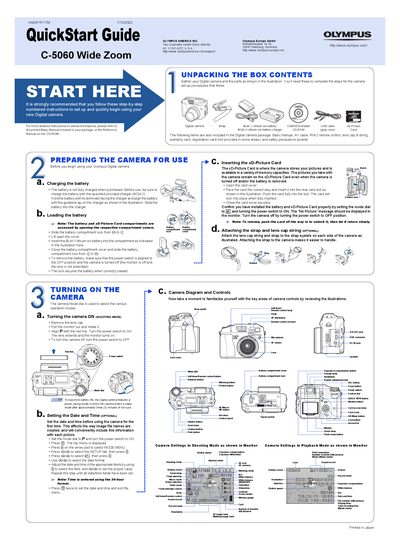
Olympus C-5060 Wide Zoom QuickStart Guide
This document is a QuickStart Guide for the Olympus C-5060 Wide Zoom digital camera. It covers unpacking the box contents, charging the BLM-1 lithium ion battery, and inserting the xD-Picture Card. The guide also explains how to attach the strap and lens cap string.
Read onlineOlympus C-5060 specifications
| Effective pixels | 5,100,000 pixels |
|---|---|
| Image pickup device | 1/1.8" CCD solid‑state, 5,260,000 pixels (gross) |
| Lens focal length | 5.7 mm – 22.9 mm (equivalent 27 mm – 110 mm on 35 mm film) |
| Aperture range | f2.8 – f8.0 |
| Shutter speed range | 15 sec – 1/2000 sec (max 1/4000 sec, bulb up to 120 sec) |
| Viewfinder type | Optical real‑image viewfinder |
| LCD monitor | 1.8" TFT color LCD, 130,000 pixels |
| Power supply | Olympus BLM‑1 lithium‑ion battery (optional AC adapter) |
| Dimensions | 116 mm × 87 mm × 65.5 mm (W × H × D) |
| Weight | Approx. 430 g (0.9 lb) without battery and card |
Source: Olympus C-5060 Wide Zoom Digital Camera Reference Manual
All Olympus C-5060 documents by type
Day-to-day operation, settings and troubleshooting. Start here if the product is already set up.
The shortest path to a working setup, usually only a few pages.
Questions answered in these manuals
What is the maximum shutter speed of this camera?
The maximum shutter speed displayed on the control panel is 1/2000 sec.
What are the available record modes for still pictures?
The camera supports RAW, TIFF, SHQ, HQ, and SQ record modes.
What is the recommended method for charging the battery before first use?
You must charge the battery with the specified provided charger (BCM-2) before using the camera.
How many minutes of non-use will trigger the camera's power saving mode?
The camera enters a sleep mode after approximately three (3) minutes of non-use.
What is the purpose of the direct buttons on this camera?
The direct buttons allow you to perform specific functions such as erasing or protecting pictures, setting the flash mode, and making general camera operation easier.
From: olympus Digital camera C-7070 Wide Zoom olympus Digital camera C-5060 Wide Zoom QuickStart Guide
How can I change the date and time on the camera?
Select the menu option “Setting the date and time” from the camera’s on‑screen menu to adjust the clock.
From: Olympus C-5060 Wide Zoom Digital Camera Reference Manual