
This is a Fire TV * Nvidia Shield Logitech Harmony 650 key map
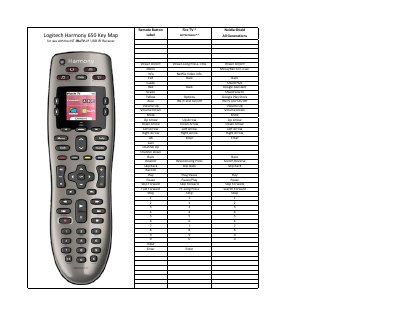
This document serves as a key map for the Logitech Harmony 650 remote control, specifically designed for use with the INT-IReTV-01 USB IR Receiver. It details the function of each button on the remote, including media controls, navigation arrows, and specific shortcuts for services like Netflix and Google Assistant.
The guide covers various remote button functions such as Power, Menu, Info, Exit, Guide, and color-coded buttons (Red, Green, Yellow, Blue) which trigger specific actions like Google Assistant, Search, Google Play Store, and IReTV LED control. It also lists navigation keys, playback controls, channel functions, and numeric keypad assignments.
It is designed for use with the INT-IReTV-01 USB IR Receiver.
It supports Fire TV and Nvidia Shield.
It performs the Menu/Rec function and waits 3 seconds.
It toggles the IReTV LED On/Off.